- Mark each question as a must-have (knock-out) or a nice-to-have
- Every response gets one result: meets, partially meets, does not meet, or incomplete
- AI judges open answers using your own instructions
- The result can move the match forward in your ATS automatically
The problem: every answer needs a person
A vacancy goes live and applications come in. Before anyone gets a call, a recruiter checks each response by hand against the same questions. Valid work permit? Right licence? Can they work in this location?
It is repetitive, and it grows with every applicant. The more applications you get, the longer good candidates wait, and some never hear back at all.
Why it happens
Your form collects the answers, but the judgement lives in your recruiters’ heads: what counts as a good answer, what is non-negotiable and what is a bonus. So every response needs a person to apply it.
How it works
Pre-screening puts that judgement into the form. We built it with a large staffing agency that handles a high volume of web applications and wanted the first round off its consultants’ desks.
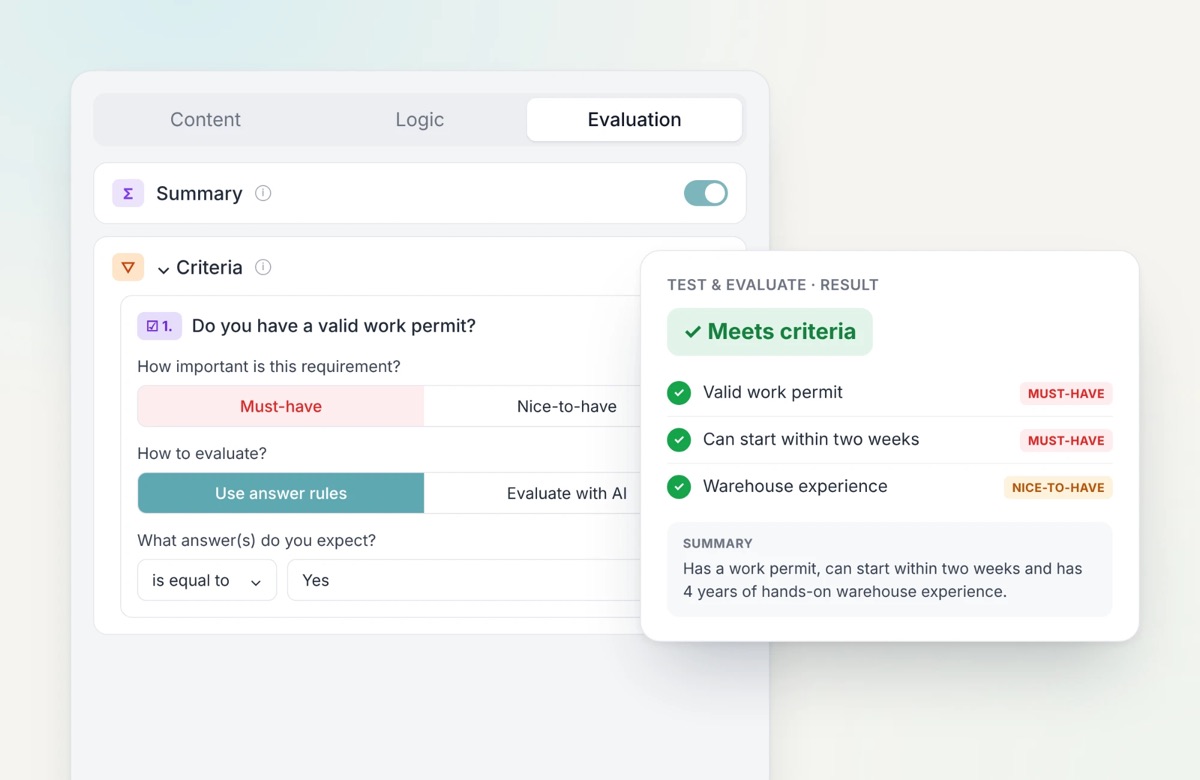
- Set your knock-out questions. Mark each requirement as a must-have or a nice-to-have. A wrong answer on a must-have means the candidate does not meet your criteria. Nice-to-haves help you decide who to call first.
- Weigh what matters. Give answers points with Scoring, and use Skills to assess the qualities the role needs.
- Explain what good looks like. Simple rules, like “the answer must be yes”, work without AI. For open answers, describe in plain words what you are looking for and AI judges the answer with your instructions. Generated fields pull out the details you need, and a Summary shows the response at a glance.
- Test before candidates see it. In Test & evaluate, try the form with example candidates: an ideal one, a borderline one and an unqualified one. Change a rule and the test runs again.
- Let the result take the next step. Every result is saved with the response and can be used in your automations. For example: a candidate meets your criteria, so the match moves to the next stage and the summary is added to the notes in Carerix.
What changes
For recruiters: instead of a pile of answers, a list where every candidate already has a result, a score and a summary. The call starts with the candidate, not with the checklist.
For candidates: an answer instead of silence. Each response is evaluated as soon as it comes in, so an automation can invite the people who qualify and let the others know where they stand.
Your team still makes the decisions. Pre-screening handles the first round, the same way on every response.
Try it yourself
Pre-screening is available to all HireData and Carerix RMA users. Open a form, go to the Evaluation tab and start with your knock-out questions.