In short
- Press ⌘K to search automations, templates, people and pages
- Keyboard shortcuts, such as N+I for Inbox and C+A for a new automation
- Collapsible main and settings menus
- Runs and Events moved to the main menu; templates grouped under Settings
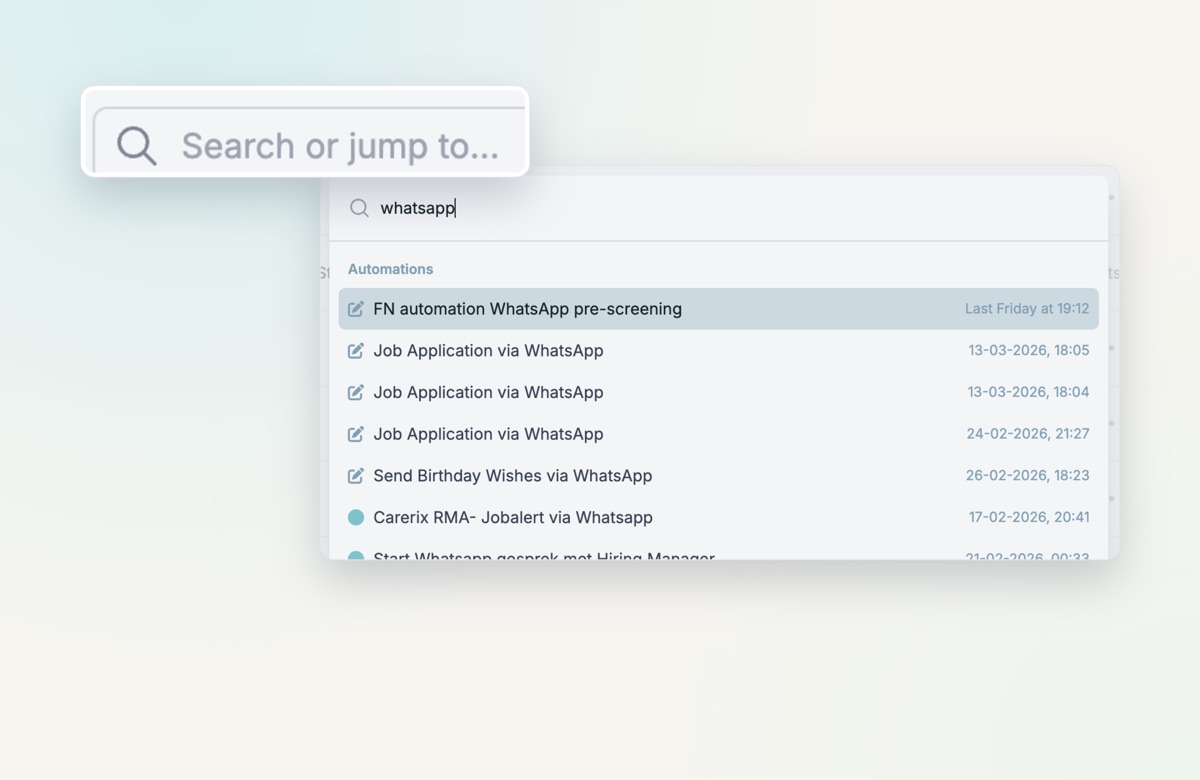
Jump anywhere with ⌘K
Press ⌘K anywhere in HireData. Search your automations, templates, people and pages in one place, or use shortcuts such as N+I for Inbox and C+A to create an automation. Search also matches your real records: type “whatsapp” and every automation with that word shows up, most recent first.
What else changed
- Collapsible menus. Fold away the main sidebar and the Settings menu for more room on wide tables and templates. Your choice is remembered.
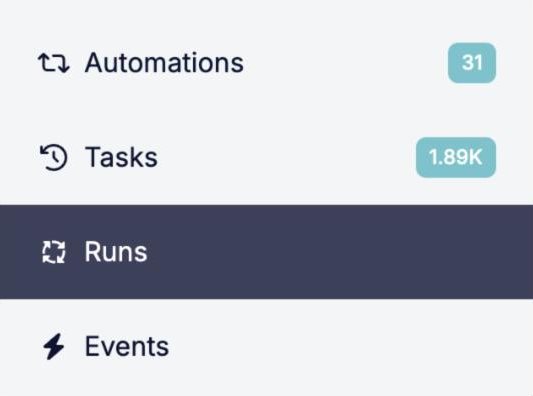
- Runs and Events in the main menu. They used to sit inside Settings. Now they sit next to Automations and Tasks: one click instead of three.
- Templates grouped. Email, form and message templates now live in one Templates section under Settings.
Try it yourself
Press ⌘K anywhere in HireData. The new menus are live for everyone, no setup needed.