HireData for WhatsApp
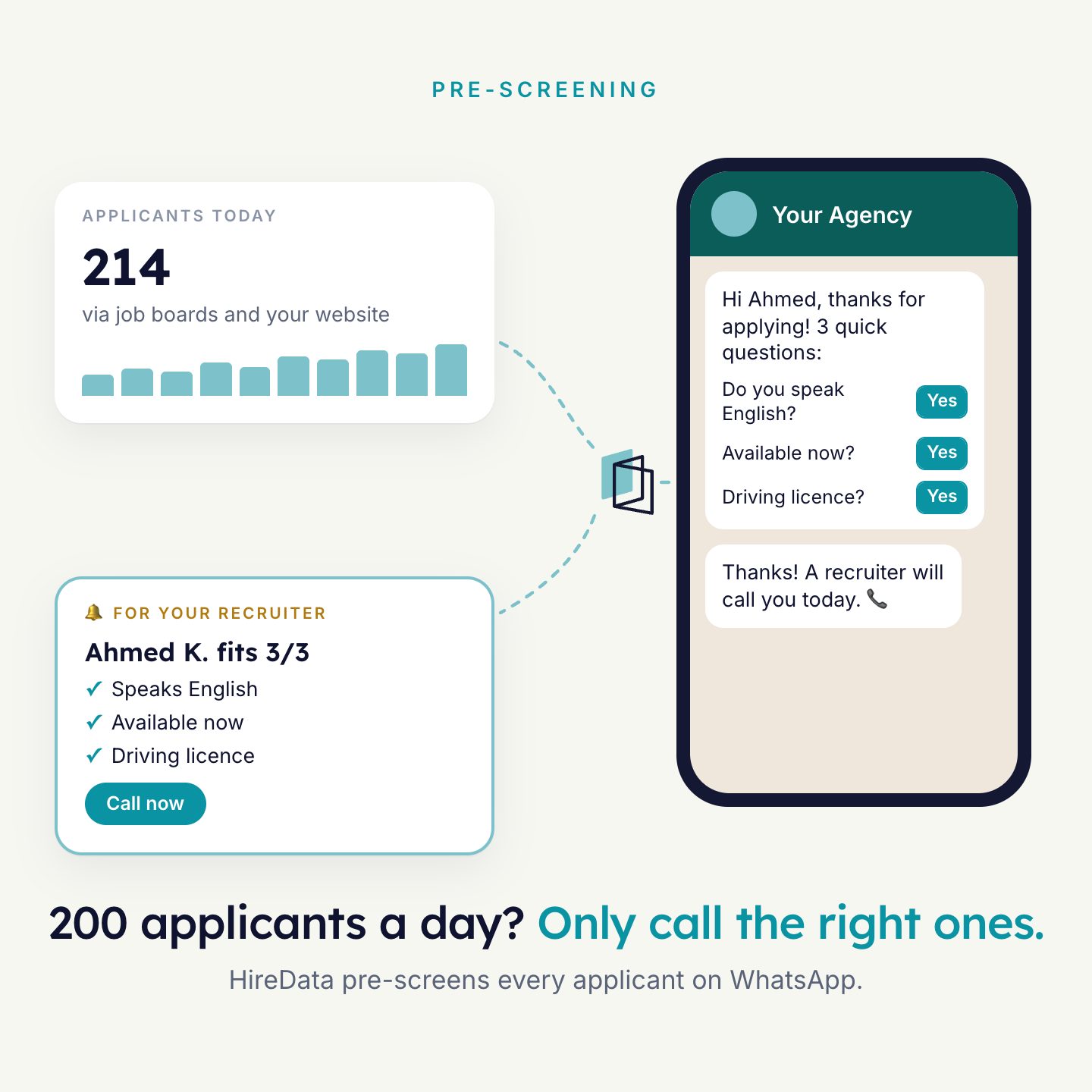
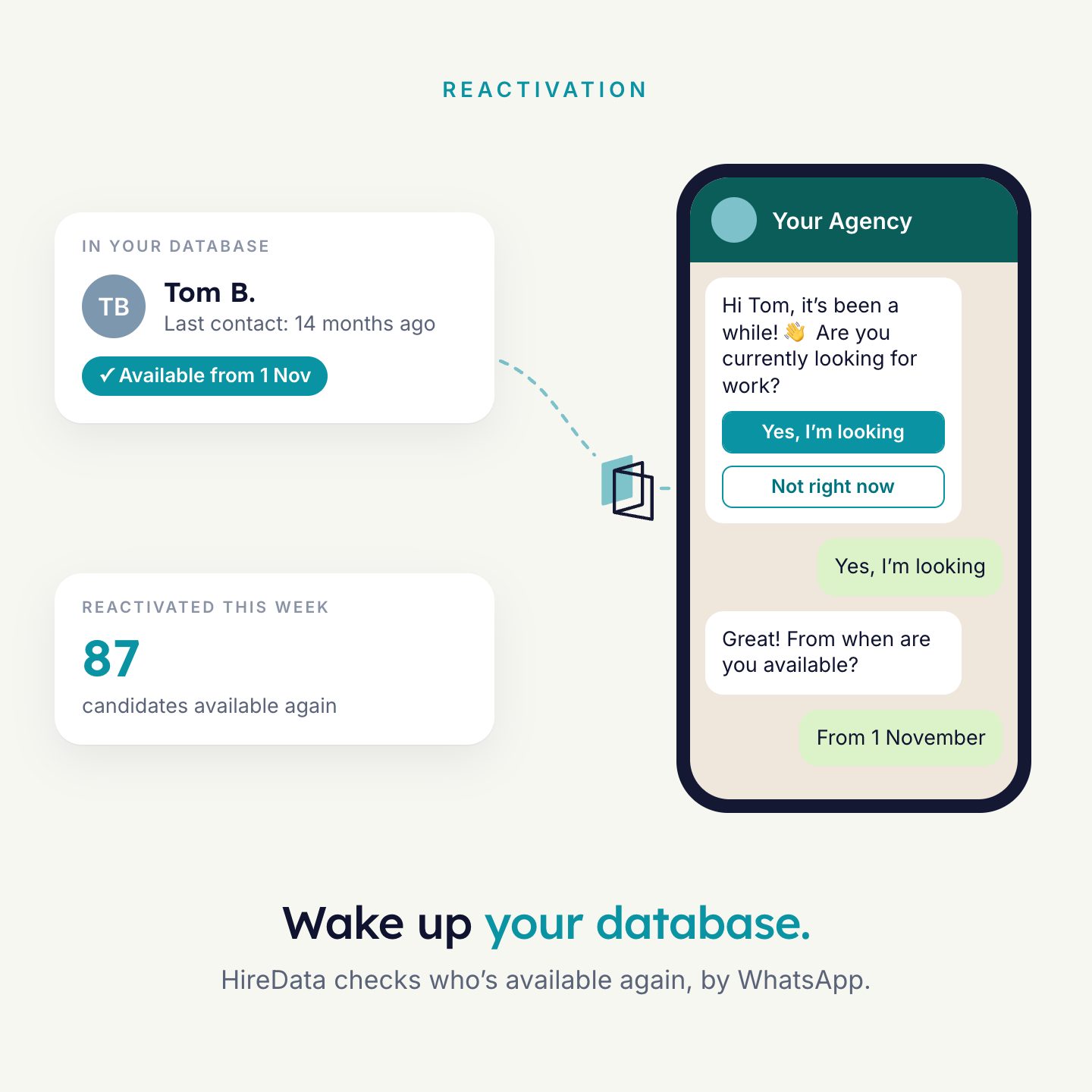
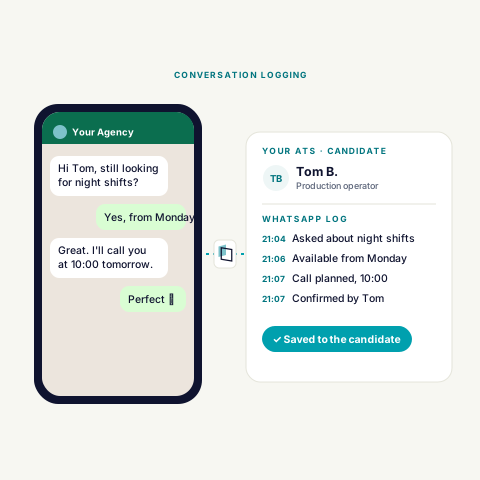
Agents screen, check in and send alerts on WhatsApp, from your own business number. Answers go to your ATS. A recruiter can take over any chat.
What starts an agent
WhatsApp is a channel. The agent starts somewhere else and then opens the conversation.
- WhenA change in your ATS
Example: a match is placed on the shortlist. The candidate gets a job alert on WhatsApp.
- WhenA schedule
Run once at a set date and time, or repeat. Filters decide which candidates get a message.
- WhenA new lead
A lead form on Facebook or Instagram starts the follow-up. See Meta Ads.
What an agent can do
The WhatsApp steps an agent can use, and what a recruiter can do.
| Step | Kind | What it does |
|---|---|---|
| Send Message | Message | Sends a WhatsApp message from an approved template. |
| Send Survey | Message | Sends a form as a WhatsApp conversation, one question at a time. |
| Start a Conversation | Message | An AI conversation that starts with an approved template. You give it a form, a briefing and the knowledge it may use. |
| Update field(s) | Update | When the conversation ends, the answers are saved in the fields you choose in your ATS. |
| No reply | Logic | Per step you choose: stop the run, skip people who cannot be messaged, or continue without a reply so a later step can follow up. |
| Take over | Recruiter | A recruiter can take over an automated conversation at any time from the inbox. |
What is read and written
What goes into a WhatsApp conversation and what comes out.
| Part | Direction | Notes |
|---|---|---|
| Sending number | Setting | Your connected WhatsApp Business number. |
| Recipient | Read | The person from the trigger, such as the candidate on the match. |
| Message template | Read | Approved by Meta. Category Marketing, Utility or Authentication. Variables fill in the name, the job title and more. |
| Form | Read | The questions the agent asks during the conversation. |
| Knowledge fields | Read | Context for the AI. Up to 16 fields, 64 characters per key and 512 per value. |
| Answers | Written | Saved to fields in your ATS, such as the availability date. |
| Conversation | Written | Logged on the candidate in your ATS. |
The 24-hour window. To start a conversation yourself you need an approved template. After a candidate writes to you, you can reply freely for 24 hours. Meta bills template messages to you directly.
How to connect
- Open WhatsApp in HireDataFrom the Inbox, or under Settings, Apps. Choose Embedded sign-up.
- Log in to FacebookGrant HireData access to your WhatsApp Business account.
- Fill in your business detailsBusiness portfolio, name, website and country.
- Select or create your WhatsApp Business accountThen use your number and your approved templates in an agent.
What you need
- A Facebook login for your business
- A phone number for WhatsApp Business
- A valid payment method in your WhatsApp Business account
- Message templates approved by Meta

See it run on your own vacancies.
Answer four short questions and watch the agent for your problem. Then book 30 minutes with us.