Your ATS, in the AI assistant you already use.
The HireData MCP connects Claude, ChatGPT, Gemini or Copilot to your HireData workspace. Ask about candidates, jobs and matches in plain language. Or describe an automation, and your assistant sets it up.
For anyone at an agency who already works in an AI assistant. You connect with your own HireData account.
Which email templates do we have in HireData, and which ones are missing a Dutch translation?
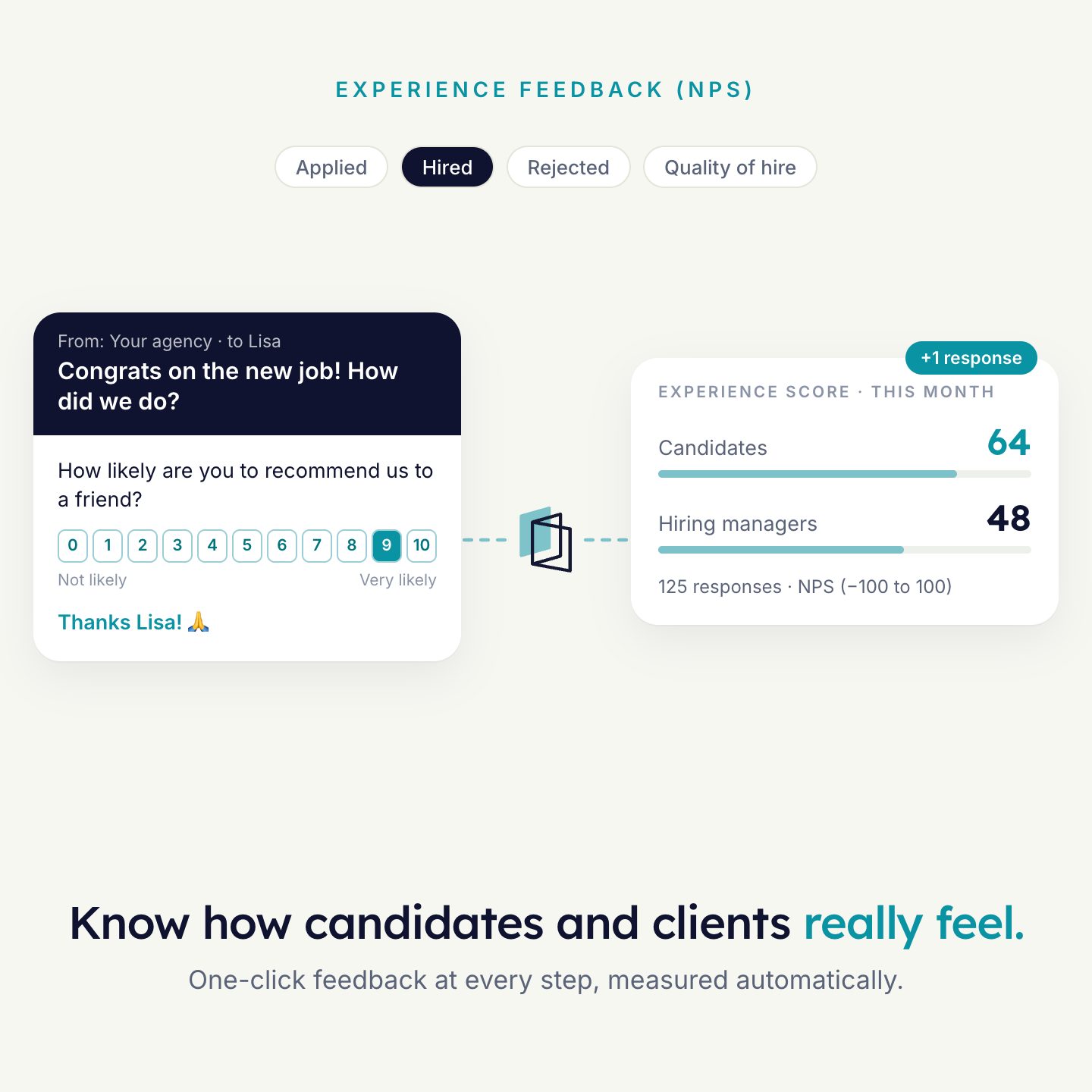
Create a candidate NPS form with a 0–10 score question and a follow-up question for scores below 7.
What your assistant can do in HireData.
MCP is the Model Context Protocol. HireData has an official MCP server, so an assistant that supports MCP works directly with your workspace.
People
Find, view, create and update candidates and contacts.
Forms and responses
Build complete forms with fields, validation and branching. Look up submitted answers.
Email templates
Create branded templates, translate them and send test emails.
WhatsApp
Manage message templates, check their approval status and view conversation history.
Automations
Describe what should happen, and your assistant sets it up in HireData.
Statistics
Usage and performance figures: credits, email and messaging performance, automation runs.
Team
Manage workspace users, roles and invitations.
Help articles
Search and read the HireData help center from the chat.
Plain language in, work done.
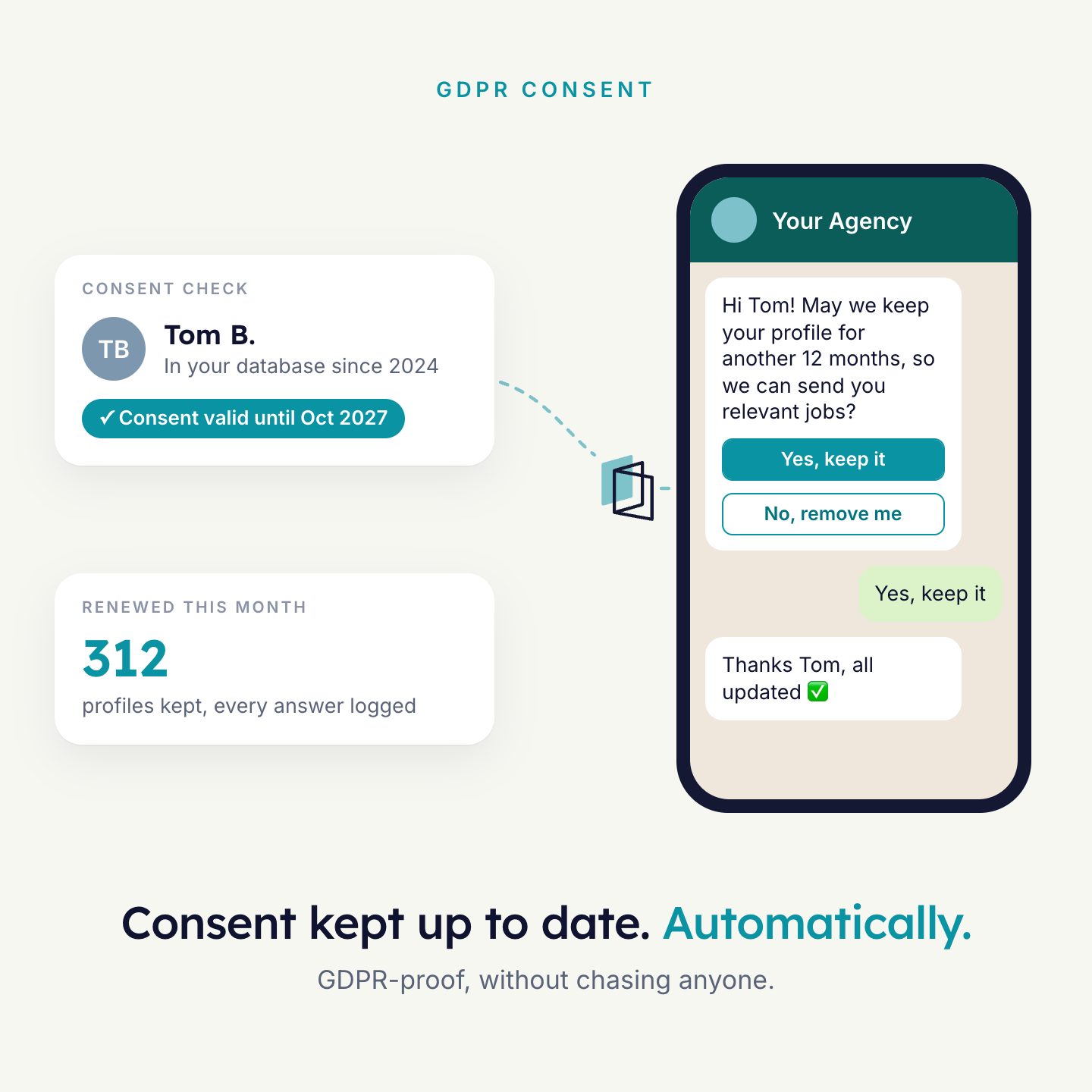
- Set up a GDPR consent form and show me a preview link.
- Create a candidate NPS email template in our brand style and send me a test.
- How many credits did our workspace use in June and July?
- Which email templates do we have in HireData, and which ones are missing a Dutch translation?
Your permissions. Nothing more.
Your assistant can never do more than you can. It works with the same rights you have in HireData, and only in the workspaces you select when you sign in.
- Every request is checked again on HireData’s side.
- Every action is recorded in the activity log.
- Changes that delete or reach people outside need your explicit confirmation.
- New capabilities do not widen your connection. HireData asks you to authorize again first.
- Disconnect any time, in your assistant or in your HireData settings.
One URL, then sign in.
You need a HireData account with access to at least one workspace. The connection URL is the same for every assistant.
https://api.hiredata.com/mcp- Add HireData as a custom connectorIn Claude: Settings, Connectors, Add custom connector. Paste the URL.
- Sign in and choose workspacesHireData shows which permissions apply. You can narrow them down before you authorize.
- Choose what needs approvalA common setup: read-only tools always allowed, write and delete tools on approval.
- Ask your questionSwitch the HireData connector on in a chat and start.
Per assistant
- ClaudeCustom connectors are available on all Claude plans. On Team and Enterprise an organisation owner adds the connector first.
- ChatGPTCustom MCP connections are available on paid ChatGPT plans. Add HireData as an MCP server in the desktop app, or as a custom connector on the web.
- GeminiAvailable in Gemini Spark and Gemini Enterprise. The regular Gemini chat app does not support custom MCP connections yet.
- CopilotThrough Microsoft Copilot Studio. Agents built there can be made available in Microsoft 365 Copilot.
The MCP gives your assistant the tools. Skills give it the working method. The HireData skills are open source. In Claude, ChatGPT and Codex one plugin installs both.
Skills libraryThe same records your recruiters see.
The MCP connects your assistant to your HireData workspace. Your workspace is connected to your ATS. So the candidates, jobs and matches you ask about are the ones in your ATS, and what agents do is written back there.
- Your assistantClaude, ChatGPT, Gemini or Copilot
- HireData MCPYour account, your permissions, every request logged
- Your ATSConnected to your HireData workspace
Examples to build from
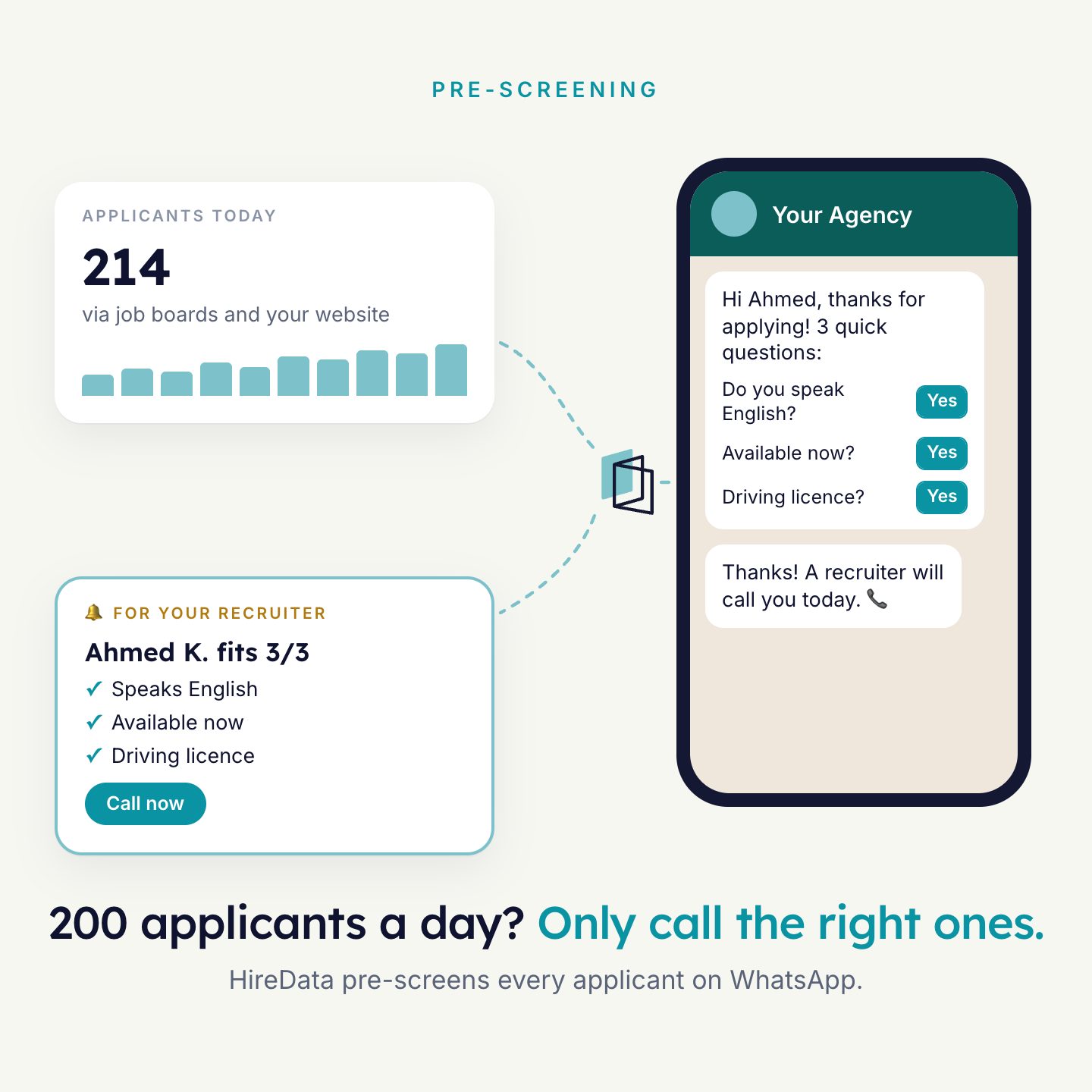
Agents that agencies run today. Each one uses forms, templates and an automation that you can also set up from your assistant.

See it run on your own vacancies.
Answer four short questions and watch the agent for your problem. Then book 30 minutes with us.