WhatsApp, with agents and your team in one inbox.
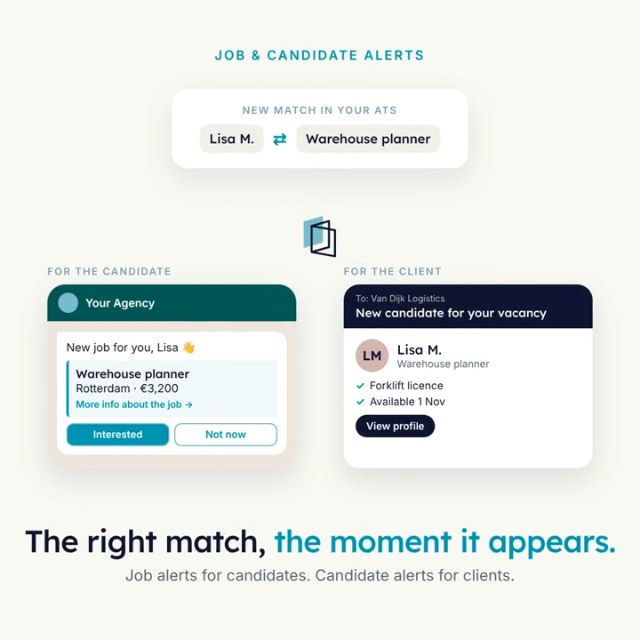
Agents hold the first conversation with candidates on your own WhatsApp Business number: screening, availability checks and job alerts. Recruiters see every chat in a shared inbox and can take over any of them.
For recruiters who want candidates to reply fast, without doing the first round themselves.
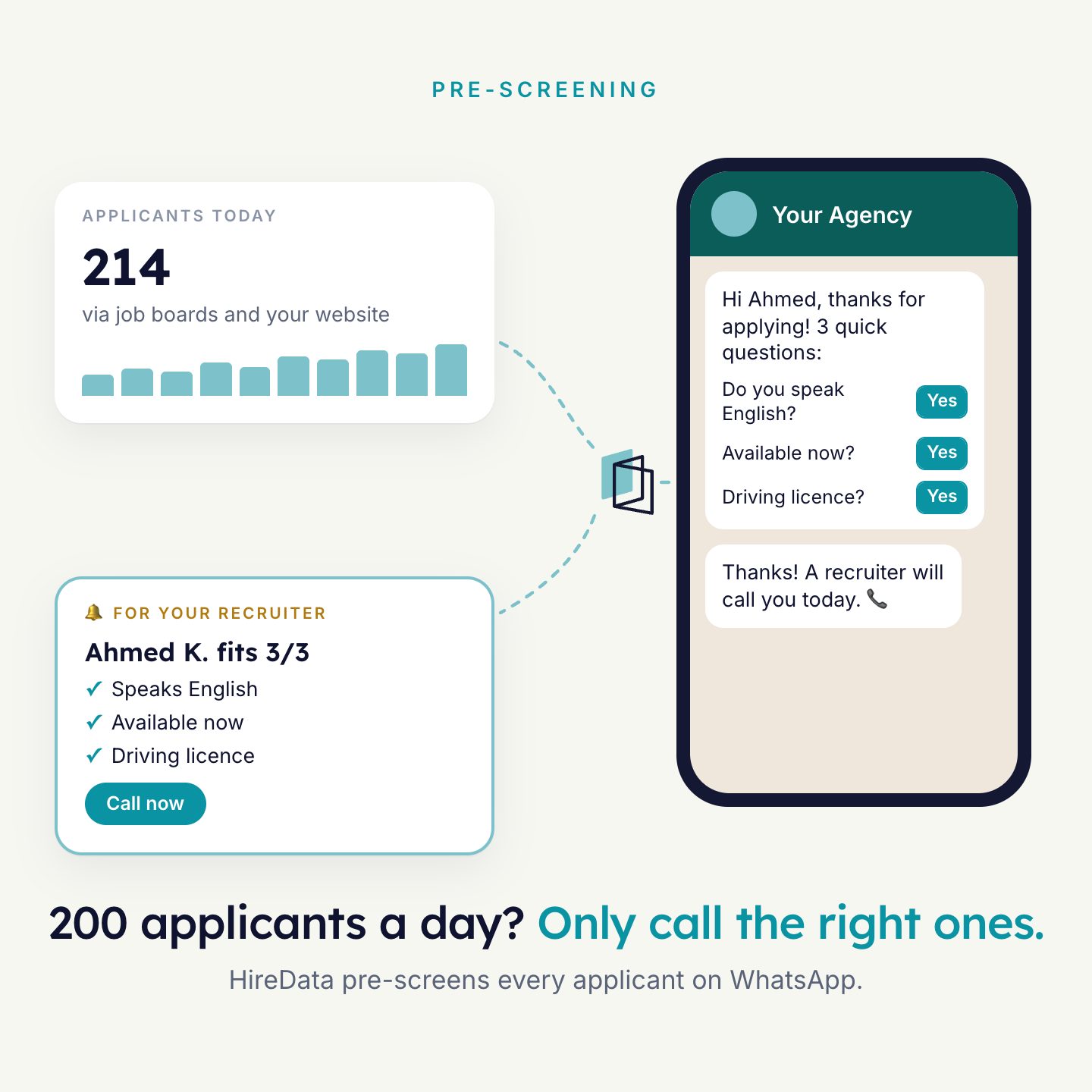
Pre-screening on WhatsApp. The recruiter gets the candidates who fit.
Each conversation has a goal.
An agent does not chat freely. You set up what the conversation is for and what it needs to find out.
- A message template that opens the chat, with the candidate’s name and the job title filled in.
- A form with the questions the agent asks.
- A briefing that describes the goal and the tone.
- Knowledge: up to 16 fields of context, such as the recruiter’s name or the company.
When the conversation ends, the answers update the fields you chose in your ATS.
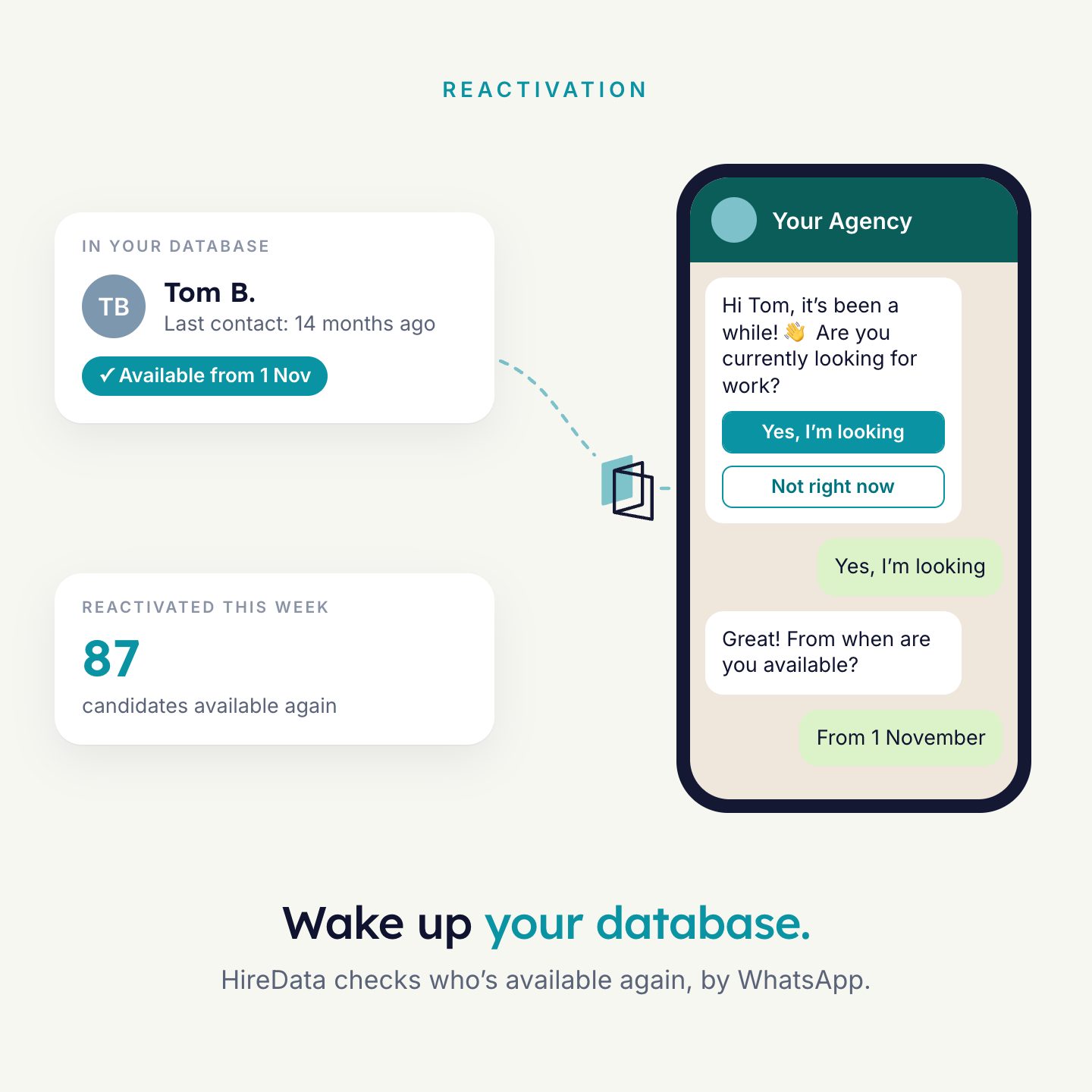
Hi Tom, are you still open to new work? Two quick questions.Sent by automation
Yes, I am
From which date are you available?
From 1 May
Thanks. I have updated your profile.
Every chat, and who handles it.
The inbox shows all WhatsApp chats with people in your database. Three views: For you, Unassigned and All.
- Assign a chat to a colleague, or take it over yourself.
- Filter on chats that need a reply, on automation, on contact owner and more.
- Leave internal comments. The contact never sees them.
- Messages sent by an agent carry the label “Sent by automation”.
- Closing a chat stops automations from sending more messages in it.
- TVTom de VriesFrom 1 MayNeeds reply
- SBSophie BakkerThanks, see you ThursdayAutomated
- AKAhmed K.Session closedTemplate needed
- Green: active chat with an assignee
- Grey: 24-hour window open, no active chat
- Red: window closed, use a template
- Teal: the contact is waiting for you
Built around how WhatsApp Business works.
Approved templates
You need a template approved by Meta to start a chat, or to reopen one after 24 hours. You create and manage templates in HireData.
The 24-hour window
When a contact messages you, a 24-hour window opens. Inside it you can message freely. Every new message from the contact restarts it.
The right category
Each template is Marketing, Utility or Authentication. A job campaign is Marketing. An interview reminder is Utility. You pick the category before Meta reviews it.
You decide what happens when someone stays quiet.
Not every candidate answers. Each WhatsApp step has settings for what the agent does next.
- Continue without a reply: later steps run when the chat closes unanswered.
- Skip when the person can’t be messaged: no phone number, opted out, blocked, or already in an open chat.
- Continue on failure: later steps still run when a message is not delivered.
The next step can be a reminder, an email, or an update in your ATS.
What is said on WhatsApp is in your ATS.
Answers from a conversation update the candidate in your ATS, such as the available date or a note. An automation can log each conversation on the record when it starts or ends. You connect your WhatsApp Business account through Meta’s sign-up inside HireData.
- Your ATS starts itA match reaches a stage, or a schedule runs
- The agent talksOn your own WhatsApp Business number
- Answers and the conversation savedOn the candidate in your ATS
Examples that use it
Each agent does one job well. Most agencies run a few together.

See it run on your own vacancies.
Answer four short questions and watch the agent for your problem. Then book 30 minutes with us.